
You want to convert your windows server evaluation edition to a standard or datacenter edition.
How to activate a server via KMS
Before we can activate the server via KMS or MAC we need to convert the evaluation edition into an standard or datacenter.
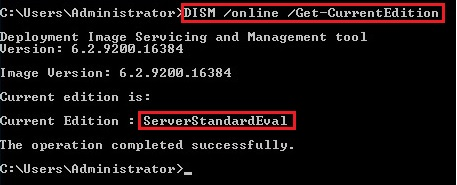
Check the current Edition
DISM /online /Get-CurrentEditionHere you see the server edition. If it is an ServerXXXEval you must convert the server edition into standard or datacenter
Check the possible target editions
To check the possible target edition, you can execute the next command:
DISM /online /Get-TargetEditions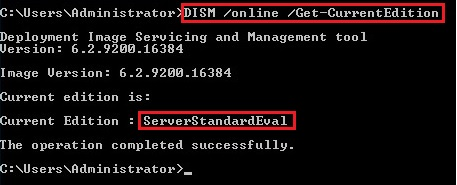
Convert the eval to standard or datacenter edition
ATTENTION: The next step will need an intermediate reboot of the server!!
Now you can convert your evaluation edition to the target edition with the command below:
Server Standard Edition
DISM /online /Set-Edition:ServerStandard /ProductKey:XXXXX-XXXXX-XXXXX-XXXXX-XXXXX /AcceptEulaServer Datacenter Edition
DISM /online /Set-Edition:ServerDatacenter /ProductKey:XXXXX-XXXXX-XXXXX-XXXXX-XXXXX /AcceptEulaFor the product key please use the generic volume license keys from the table below. With this keys you can also activate the server via KMS. If you have MAC Keys please use this keys for converting.
| Server version and edition | KMS Key |
|---|---|
| Server 2025 Standard | TVRH6-WHNXV-R9WG3-9XRFY-MY832 |
| Server 2025 Datacenter | D764K-2NDRG-47T6Q-P8T8W-YP6DF |
| Server 2022 Standard | VDYBN-27WPP-V4HQT-9VMD4-VMK7H |
| Server 2022 Datacenter | WX4NM-KYWYW-QJJR4-XV3QB-6VM33 |
| Server 2019 Standard | N69G4-B89J2-4G8F4-WWYCC-J464C |
| Server 2019 Datacenter | WMDGN-G9PQG-XVVXX-R3X43-63DFG |
| Server 2016 Standard | WC2BQ-8NRM3-FDDYY-2BFGV-KHKQY |
| Server 2016 Datacenter | CB7KF-BWN84-R7R2Y-793K2-8XDDG |
Kategorien: KMS, Server 2012 (R2), Server 2016, Server 2019, Windows – Server
Tags für diesen Artikel: dism, evaluation, kms, server 2012 (r2), server 2016, server 2019, server edition, windows – server