
I had an issue where a client wouldn’t start and always crashed with a blue screen (0x50 klif.sys).
After some research, I identified the antivirus software as the problem. Since the client could only start in Safe Mode, where uninstallation is normally not possible (MSI services aren’t started), I looked for a way to uninstall software in Safe Mode.
The problem can be solved easily and simply without rebooting in Safe Mode:
- Start the system in „Safe Mode without network„
- Open REGEDIT
- Navigate to „HKLM/SYSTEM/CurrentControlSet/Control/SafeBoot/Minimal„
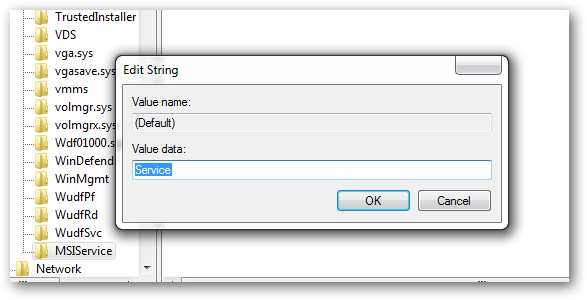
- Create a new key here named „MSIService„
- In the new key, set the „(Default)“ value to „Service„
- Start cmd as administrator and enter the following command to start the service: „net start msiserver„
- Now the software can be uninstalled without any problems!
Attention:
If you are in the Safe Mode with Network Mode, repeat the above steps for the following registry key: HKLM\SYSTEM\CurrentControlSet\Control\SafeBoot\Network\