
I installed the Windows Server Update Service on a Windows Server. After the server was filled with patches, the application kept crashing with the message "Connection error: Reset server node."
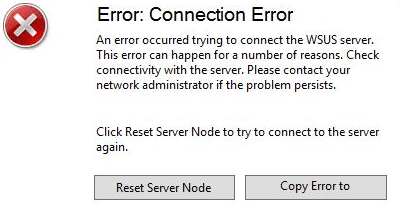
I initially allocated more RAM to the server, but the error persisted! The problem is a memory limit in IIS for the WSUS application pool. To solve this problem do the following steps:
- Open IIS Manager
- Navigate to „Application Pools„
- Locate „WsusPool„
- Open „Advanced Settings“ (right click on the App pool)
- Scroll down to the „Reuse „Recylcing„section
- Set the „Private Memory Limit“ value to 0 (unlimited)
- Perform an IIS reset, and the problem should be resolved.
A nice tool to manage your WSUS Server without any trouble is the WAM Tool from AJ Tec. I use this tool since many years and it works perfect. In installed it on my WSUS Server infrastructure and from this day I have no trouble again with my WSUS Server, database or IIS.
Take a closer look:
WSUS Automated Maintenance (WAM)© Software-Skript